
Oct 20, 2026 . Guest Outreachy Team
To disavow backlinks means asking Google to ignore specific links pointing at your site when it assesses your pages. It sounds like a cleanup button for every ugly link in your profile, and that belief causes more damage than the links themselves. Google calls the tool an advanced feature, warns that wrong use can harm your search performance and says most sites will never need it.
The tool still has a real job, and it sits close to the line between black hat SEO vs white hat SEO. If you bought links in the past, or a vendor placed paid guest post links without a sponsored or nofollow tag, a disavow file may be part of your fix. If you only saw a red score in an SEO tool, it almost never is.
This guide gives you a quick verdict first, then the exact process, the file rules Google enforces, realistic timing and the mistakes that turn a cleanup into a ranking drop.
Table of Contents
Quick Verdict Before You Open the Tool
Find your situation in the table. If your row says no, close the tool and spend the time on content or outreach.
| Your situation | Use the tool? | Reason |
|---|---|---|
| Manual action for unnatural links in Search Console | Yes, after removal attempts | Google asks you to remove what you can, then disavow the rest |
| You bought links, swapped links or used a link network and cannot get them removed | Yes | This is the main case Google describes |
| A vendor placed paid guest posts without rel sponsored or nofollow | Usually yes, if removal or tagging fails | Paid links that pass ranking credit break the link spam policy |
| Random spammy links from sites you never contacted | No | Google says it works to ignore these |
| An SEO tool flagged links with a high toxicity score | No, unless they match a row above | Google does not use the tool score |
| Rankings dropped after a core or spam update with no manual action | Rarely | Look at content, technical issues and update timing first |
| Routine monthly maintenance | No | Google says the tool is not part of regular upkeep |
What Google Says in 2026
The Google help page for the disavow links tool sets a narrow condition. You should consider it only when you have many spammy, artificial or low quality links pointing to your site, and those links have caused a manual action or likely will. Google also asks you to remove as many of those links from the web as you can before you turn to the file.
John Mueller repeated the same limits in public. At the Search Central event in New York in April 2025, as Search Engine Journal reported, he said Google has no internal notion of toxic backlinks. He added that he would mostly use the tool when a site has been buying links, and that it is not something to run on a regular basis.
On September 2, 2026, Mueller pushed back on the opposite mistake. A site owner on Reddit blamed a ranking drop on a disavow file. Mueller wrote that the tool has its place and time and does have effects, but that disavowing a handful of links will not make a site drop out of search. The site in question had bought guest posts and cheap links, so his advice was to trim the file to what is needed, check whether a spam update hit at the same time and look for large technical problems.
The lesson has two sides. The tool works, so a careless file can hurt. The tool is narrow, so a file built from tool scores rarely helps.
How to Disavow Backlinks Safely
Follow these steps in order. Skipping the first two is the most common reason a disavow does nothing or backfires.
- Confirm the cause. Open the Manual actions report in Search Console. A green check mark means no manual action exists. If you also see no clear link history such as purchases or exchanges, stop here and investigate content, indexing and update timing instead.
- Export your links. In Search Console, open Links and export the external links. Add data from a backlink tool if you want wider coverage, since Search Console may not list every link.
- Mark only what you control or created. Flag links you paid for, links from exchanges, network sites, keyword stuffed anchors you requested and paid guest posts without a sponsored tag. Leave random scraper links alone.
- Try removal first. Email each site owner and ask them to remove the link or add rel sponsored or nofollow. Keep a log with the date, the contact and the reply. Google uses this kind of record in a reconsideration review.
- Build the file. Add only the links you could not remove. Use domain entries for sites where every link is a problem.
- Upload to the right property. Open the disavow links tool, select a URL prefix property and upload the file. Errors show on screen right away and your old list stays in place if the new one fails.
- Request review if you have a manual action. Explain the issue, the steps you took and the result, with your outreach log. Google says most reviews take several days or weeks.
- Wait and watch. Google says the list can take a few weeks to be incorporated as it recrawls the web. Track rankings for months, not days.
File Format Rules
Google rejects files that break these rules, so check them before every upload.
| Rule | Detail from Google |
|---|---|
| File type | Plain .txt file |
| Encoding | UTF-8 or 7 bit ASCII |
| One entry per line | A full URL or a domain entry |
| Domain entries | Start the line with domain: followed by the domain or subdomain |
| Comments | Start the line with # and Google ignores it |
| Size limit | 100,000 lines, blank and comment lines included, and 2 MB |
| URL length | 2,048 characters at most |
| Subpaths | Not supported, so list full URLs or the whole domain |
| One list per property | A new upload replaces the old list completely |
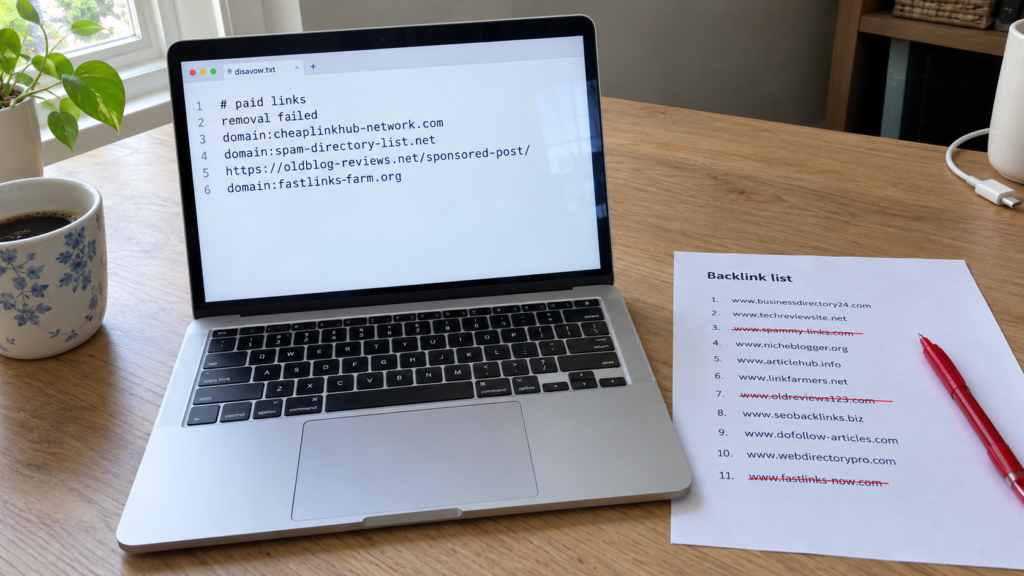
A short example looks like this:
# Paid placements from 2024, removal requests sent March 2026, no reply
domain:cheap-links-network.example
domain:spam-directory.example
https://old-blog.example/sponsored-post-with-our-link/
Domain or URL Entries
A domain entry covers every page on that domain, including links you have not found yet. A URL entry covers one page only. When a site exists only to sell links, the domain entry is the safer choice, and Mueller has suggested on Reddit that working at the domain level is the better priority for spam clusters.
Use a URL entry when the site is a real publication and only one paid article is the problem. Disavowing the whole domain of a good news site would also discard any earned mention you have there.
Because one upload replaces the whole list, always edit your existing file and upload the full version. Never upload only the new lines, or you cancel every older entry.
Property and Version Details
The tool does not support Domain properties. You need a URL prefix property, so add one in Search Console if you only verified the domain version.
A list for example.com also applies to child properties such as m.example.com, and both lists combine if both exist. HTTP and HTTPS versions are separate properties, so check which one holds your current list before you upload.
Disavowed links still appear in the Links report after processing. That is normal and does not mean the file failed.
Timing Expectations
Google says processing takes a few weeks because it waits for a recrawl of the pages that hold the links. Mueller has said that fixing issues tied to bigger algorithmic changes can take many months before results show.
That timing cuts both ways. A ranking drop two days after an upload is almost never caused by the file, since the file has not been processed yet. Check the Google Search Status Dashboard for updates in that window instead. In 2026, Google ran spam updates in March, June, August and September, and the September rollout lasted almost two weeks, from September 24 to October 8.
One more limit matters for link buyers. The Google page on spam updates says that once its systems neutralize spammy links, any ranking benefit those links produced cannot be regained. A disavow can protect you from a penalty. It cannot bring back the boost the paid links once gave.
Five Errors That Backfire
- Uploading a tool export as is. Thousands of lines from a toxicity report often include healthy links from real sites. Mueller has said random links are already ignored, so you gain nothing and risk losing good links.
- Disavowing to fix a content problem. If a core update or spam update hit thin or scaled pages, no link file will change that.
- Skipping removal requests. Google warns that disavowing everything without trying removal might lead to a rejected reconsideration request.
- Uploading partial lists. Each upload replaces the last one, so a partial file deletes your earlier work.
- Expecting fast results. Processing takes weeks and algorithmic recovery can take months, so judge the outcome on a long timeline.
Reversing Mistaken Uploads
If you disavowed good links, upload a corrected file that contains only the entries you still need. You do not need to cancel first.
To remove everything, open the tool, select the property and choose Cancel Disavowals. Google says cancellations also take a few weeks to take effect, so do not expect an instant rebound.
Mueller suggested the same path in September 2026 for the site that had overdone its file: revise it to what is needed, which may mean an empty file.
Questions Readers Ask
Does disavowing backlinks improve rankings? Not by itself. It can help a site leave a manual action or stop paid links from counting against it. It does not add any positive signal.
How long does a disavow take to work? Google says a few weeks to process. Visible changes after algorithmic issues can take many months.
Should I disavow links from spammy sites I never contacted? In most cases no. Google says it works to ignore random links, and Mueller has said disavowing links that only look odd is not a good use of time.
Can I disavow a whole domain? Yes. Start the line with domain: and every link from that domain or subdomain is covered.
Do disavowed links disappear from Search Console? No. They still show in the Links report after processing.
Can a disavow file hurt my site? Yes, if you include good links. Google warns that wrong use can harm search performance.
Conclusion: Removal First, Paperwork Last
Disavow backlinks only when you built or paid for links you cannot remove, or when a manual action names unnatural links. Try removal first, keep a log, build a clean .txt file with domain entries for link sellers and upload the full list every time. Ignore tool scores on their own, give processing weeks and recovery months, and remember that a disavow protects you but never restores what paid links once gave.
If your site has never bought links and has no manual action, your best next step is not the tool. It is a closer look at content quality, technical health and the timing of recent Google updates.